Prop Firms That Connect to TradingView: Platform Guide
Check prop-firm TradingView connections, supported account routes, market data costs and compatibility before buying a challenge.
Traders searching for prop firms that connect to TradingView are usually asking one of three things: can I execute live trades directly from TradingView charts, can I use TradingView for analysis while executing elsewhere, or does the prop firm’s platform have a native TradingView integration? The answer differs by firm, by asset class, and sometimes by account tier. This guide breaks down how those connections actually work, what you need to verify before purchasing a challenge, and where the setup can go wrong in ways that put your funded account at risk.
Before going further, check the PropCatalog platforms hub for a broader overview of execution environments used across the prop industry. The notes below focus specifically on TradingView compatibility questions.
What “Connecting to TradingView” Actually Means
TradingView is primarily a charting and analysis platform. It also offers a brokerage integration layer that allows certain connected brokers to execute orders directly from TradingView’s interface. For a prop firm to “connect to TradingView,” one of the following must be true:
- The firm uses a broker that has a native TradingView integration. In this case, you log in to TradingView, select that broker from the broker panel, and execute trades without leaving the TradingView interface.
- The firm’s proprietary platform is built on or embeds TradingView charts. Some prop platforms license TradingView’s charting library and embed it inside their own dashboard. You see TradingView-style charts, but execution happens through the firm’s own system, not through TradingView’s broker panel.
- The firm allows TradingView for analysis only, with execution on a separate platform. This is the most common scenario. Traders use TradingView for charting and alerts, then manually execute on MetaTrader 4, MetaTrader 5, cTrader, or a proprietary platform.
These three scenarios have very different implications for your workflow, your risk management, and whether your trading activity is even visible to the prop firm’s risk desk. Confusing them is one of the most common setup errors traders make before starting a funded challenge.
Which Prop Firms May Support TradingView Connections
The prop industry’s platform landscape changes frequently. Firms add and remove broker integrations, switch platform providers, and update their technology stack without always updating their marketing pages at the same time. For that reason, this section describes the types of firms and setups where TradingView execution connections are more likely to exist, rather than making claims about specific firms that may have changed since publication.
You can review individual firm setups in the PropCatalog reviews section and cross-check platform support in the compare hub.
Forex and CFD prop firms
Some forex-focused prop firms use brokers that have established TradingView integrations. If the firm’s underlying liquidity provider or broker is listed as a connected broker inside TradingView’s platform, and the firm routes your funded account through that same broker entity, live execution from TradingView may be possible. You must confirm this directly with the firm, because the funded account structure may differ from a standard retail account with that broker.
Futures prop firms
Futures prop firms typically use platforms like NinjaTrader, Rithmic, or Tradovate. TradingView does have some futures broker integrations, but the overlap with prop firm infrastructure is limited. Some futures prop firms have begun offering TradingView-compatible setups, but this is not universal. Verify the specific data feed and execution routing before assuming compatibility.
Crypto prop firms
Crypto prop firms sometimes operate through exchanges or platforms that have TradingView integrations, since TradingView has broad crypto exchange connectivity. However, prop firm accounts on those exchanges may be structured differently from standard exchange accounts, and execution permissions may be restricted. Confirm whether your prop account credentials work inside TradingView’s broker panel or only on the firm’s own interface.
Firms with embedded TradingView charting
A growing number of prop firms license TradingView’s charting library and embed it in their proprietary dashboard. This gives you TradingView-style charts and drawing tools, but execution is handled by the firm’s own order management system. This is not the same as a full TradingView integration. You cannot use TradingView’s Pine Script alerts to trigger orders, and your TradingView Pro subscription does not carry over to this environment.
| Setup Type | TradingView Execution | TradingView Charts | Pine Script Alerts | Separate TV Subscription Needed |
|---|---|---|---|---|
| Native broker integration | Yes | Yes | Yes (with webhooks) | Yes |
| Embedded charting library | No | Yes (limited) | No | No |
| Analysis only / separate execution | No | Yes (full) | Manual only | Yes (optional) |
| Webhook-based automation | Indirect | Yes | Yes | Yes (Pro+ or higher) |
Setup and Compatibility Notes Before You Start
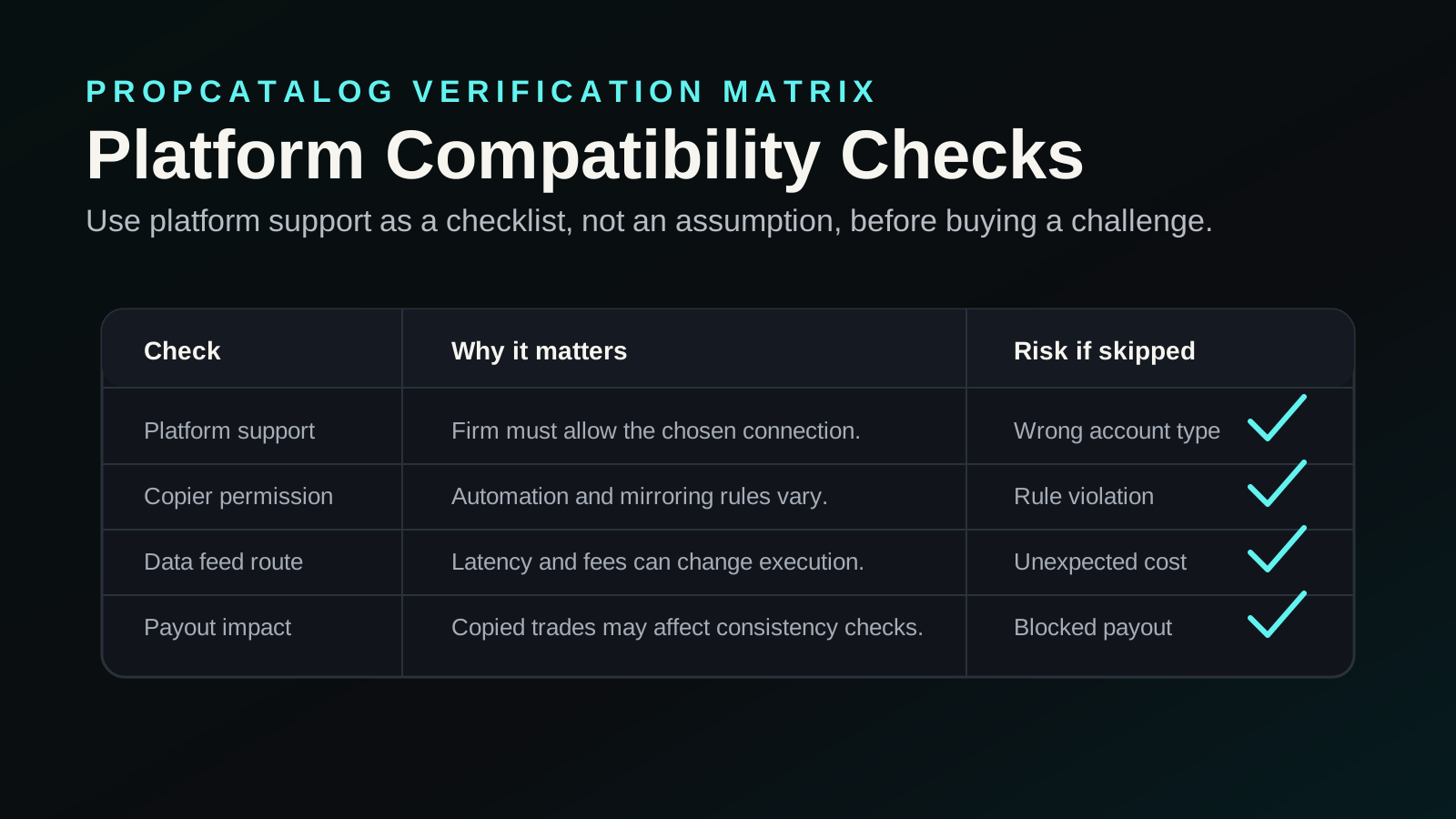
If a prop firm confirms TradingView compatibility, the setup process still involves several steps that can introduce errors. Work through each of the following before placing a single trade on your challenge account.
Confirm the broker entity matches
TradingView’s broker integrations connect to specific broker entities. If the prop firm routes your account through a different entity, a white-label, or a sub-account structure, the TradingView connection may not recognize your credentials. Ask the firm specifically which broker entity your funded account sits under and whether that entity appears in TradingView’s broker list.
Check account type restrictions
Some brokers that appear in TradingView’s broker panel only support certain account types through that integration. Prop firm accounts, which are often structured as managed accounts or sub-accounts, may not be eligible for the TradingView connection even if the underlying broker is listed. Verify this with the firm’s support team before the challenge starts.
Understand data feed sourcing
TradingView sources its price data from its own data providers, which may differ from the data feed your prop firm uses for trade execution and drawdown calculations. If there is a price discrepancy between TradingView’s feed and the firm’s execution feed, your stop-loss levels, entry prices, and drawdown calculations may not align. This is not a minor issue. A stop that looks safe on TradingView’s chart may trigger on the firm’s feed at a different price.
Verify Pine Script and webhook permissions
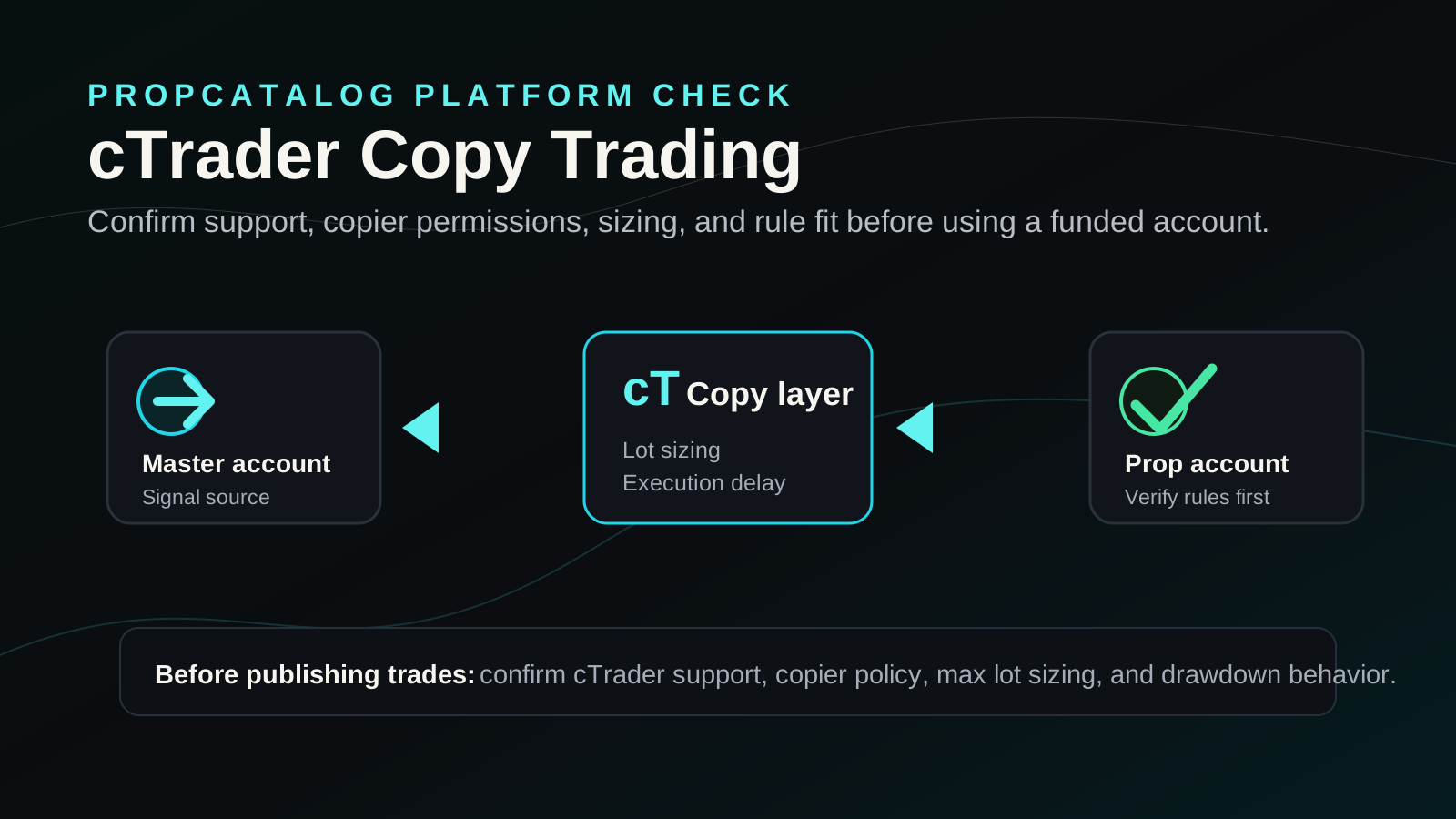
If you plan to use Pine Script alerts with webhooks to automate order flow, confirm that the prop firm’s rules permit automated or semi-automated trading. Many prop firms restrict or prohibit algorithmic execution, copy trading, or webhook-triggered orders. Check the firm’s rules page or terms of service before building any automation workflow.
Test on the challenge account, not a demo
Some firms offer demo environments that behave differently from live challenge accounts in terms of platform connectivity. If the firm provides a trial or demo period, test the TradingView connection specifically on the account type you will be trading, not on a generic demo.
Setup Mistake Checklist: What to Verify Before Connecting
Use this checklist before placing your first trade on any prop challenge where you intend to use TradingView for execution or analysis.
- Confirm the firm’s broker entity is listed in TradingView’s connected brokers panel. Do not assume — log in to TradingView and search for the broker name directly.
- Verify your prop account credentials work inside TradingView’s broker panel. Some firms issue account credentials that only work on their proprietary platform.
- Check whether the firm’s drawdown calculations use TradingView’s price feed or their own. Ask support explicitly which data source governs your account’s risk limits.
- Read the firm’s rules on automated trading before setting up any Pine Script webhook. Violations can result in account termination without a refund of the challenge fee.
- Confirm your TradingView subscription tier supports the features you need. Webhooks, multiple chart layouts, and certain data feeds require paid TradingView plans. Verify the cost before factoring it into your challenge budget.
- Check whether the firm’s platform uses an embedded TradingView charting library rather than a full integration. If so, your TradingView account and its saved layouts, indicators, and alerts will not carry over.
- Test order execution speed and slippage on the challenge account before trading at full size. TradingView-routed orders may have different latency characteristics than orders placed directly on the firm’s platform.
- Confirm whether the firm’s news or economic calendar restrictions apply to TradingView-placed orders. Some firms prohibit trading around high-impact news events, and this applies regardless of which platform you use to place the order.
- Check whether the firm’s position sizing rules are enforced at the platform level or only monitored after the fact. If enforcement is post-hoc, a TradingView order that exceeds position limits may execute but result in a rule violation.
Costs, Data Feeds, and Add-Ons to Verify
Using TradingView with a prop firm account is rarely free of additional costs. Before committing to this setup, account for the following potential expenses and verify each one against current pricing, since both TradingView and prop firms update their fee structures independently.
For a broader look at what prop firms charge for challenges and platform access, see the PropCatalog pricing hub.
TradingView subscription cost
TradingView’s free plan has significant limitations: fewer chart layouts, no webhook alerts, limited indicators per chart, and restricted data access. If you need webhooks for automation, multiple simultaneous charts, or access to certain data feeds, you will need a paid TradingView plan. Verify the current plan tiers and pricing directly on TradingView’s website, as these change periodically.
Exchange or data feed add-ons
Some asset classes or exchanges require a separate data subscription inside TradingView, even on paid plans. Futures data, certain forex feeds, and specific crypto exchange data may carry additional monthly fees. If your prop firm’s instruments require a data add-on, factor that into your monthly cost before calculating whether the challenge is economically viable.
Prop firm platform fees
Some prop firms charge a separate platform or data fee on top of the challenge fee. If the firm uses a third-party platform that has its own licensing cost, that fee may apply even if you primarily trade through TradingView. Confirm whether any platform fee is included in the challenge price or billed separately. Check the firm’s checkout page and pricing documentation before purchasing.
Reset and retry costs
If a setup error — such as a data feed discrepancy or an accidental rule violation caused by platform confusion — results in a failed challenge, you will typically need to pay the challenge fee again to restart. This makes pre-purchase verification worth the time investment.
Which Trader Type Benefits Most from TradingView-Connected Prop Firms
TradingView’s strengths are its charting tools, its Pine Script scripting language, its large community of published indicators, and its clean multi-asset interface. Traders who benefit most from a TradingView-connected prop setup tend to share certain characteristics.
Technical analysts with established TradingView workflows
If you have spent years building custom indicators, saved chart templates, and watchlists inside TradingView, switching to a proprietary platform for a prop challenge introduces unnecessary friction. A firm that supports TradingView execution lets you trade in a familiar environment, which reduces the risk of interface-related errors during the challenge.
Multi-asset traders
TradingView covers forex, crypto, futures, stocks, and indices in a single interface. Traders who monitor multiple asset classes simultaneously may find TradingView’s layout more efficient than switching between asset-specific platforms. However, confirm that the prop firm supports all the asset classes you intend to trade, since TradingView’s data coverage does not guarantee that the firm’s execution environment covers the same instruments.
Pine Script strategy developers
Traders who have built Pine Script strategies and want to use TradingView alerts with webhooks to semi-automate their execution need both a TradingView plan that supports webhooks and a prop firm that explicitly permits this type of order flow. This combination is possible but requires careful verification of the firm’s automation rules before setup.
Who may be better served by a different platform
Traders who rely on direct market access, Level 2 data, or tick-by-tick execution speed may find that TradingView’s execution layer introduces latency or data limitations that are not acceptable for their strategy. Scalpers and high-frequency discretionary traders should verify execution quality carefully before committing to a TradingView-based setup on a funded account.
Alternatives to Compare
If a prop firm does not support TradingView execution, or if the setup introduces too many compatibility risks for your strategy, the following platform alternatives are worth evaluating. Each has different strengths depending on your asset class and trading style.
| Platform | Common Asset Classes | Prop Firm Adoption | Key Consideration |
|---|---|---|---|
| MetaTrader 4 (MT4) | Forex, CFDs | Very high | Widely supported; older infrastructure; limited native charting vs. TradingView |
| MetaTrader 5 (MT5) | Forex, CFDs, Futures, Stocks | High and growing | More asset classes than MT4; better order types; check firm’s MT5 server version |
| cTrader | Forex, CFDs | Moderate | Clean interface; good for ECN-style execution; verify firm’s cTrader server |
| NinjaTrader | Futures | High for futures prop firms | Requires separate data feed subscription; strong for futures-specific tools |
| Tradovate | Futures | Moderate for futures prop firms | Cloud-based; check firm’s compatibility with Tradovate account structure |
| Proprietary firm platform | Varies | Firm-specific | May embed TradingView charts; execution and rules are firm-controlled |
When comparing platforms, focus on three factors: whether the platform’s data feed matches the firm’s execution feed, whether the platform’s order types match your strategy requirements, and whether the firm’s rules apply any restrictions specific to that platform. The PropCatalog compare hub has side-by-side breakdowns of firms by platform support.

Peter Fryers
Peter writes PropCatalog's firm reviews, pricing analysis, and cross-market comparison content.
FAQs
Can I use TradingView to trade on any prop firm account?
Not automatically. TradingView execution requires either a native broker integration or a webhook-based setup. Most prop firms use platforms like MT4, MT5, or proprietary dashboards that do not connect directly to TradingView’s execution layer. You can use TradingView for charting and analysis with almost any prop firm, but live order execution from TradingView requires specific compatibility that you must verify with the firm before purchasing a challenge.
Does using TradingView for analysis while executing on MT4 violate any prop firm rules?
Using TradingView purely for charting and analysis while executing manually on MT4 or another platform is generally permitted, since you are simply using an external charting tool. However, if you use TradingView alerts or webhooks to trigger automated orders on the execution platform, that may constitute algorithmic or automated trading, which many prop firms restrict or prohibit. Read the firm’s rules carefully and contact support if you are unsure.
What TradingView plan do I need to connect to a prop firm broker?
The minimum plan required depends on what features you need. Basic broker connectivity through TradingView’s broker panel may work on lower-tier plans, but webhook alerts for automation require a higher-tier paid plan. Data add-ons for certain asset classes may also carry additional costs. Verify the current plan requirements directly on TradingView’s website, as plan features and pricing change.
Will TradingView’s price data match my prop firm’s execution prices?
Not necessarily. TradingView sources price data from its own data providers, which may differ from the data feed your prop firm uses for execution and drawdown calculations. Price discrepancies between the two feeds can affect where your stop-loss orders trigger and how your drawdown is calculated. Ask the firm which data source governs your account’s risk limits and compare it against TradingView’s feed for your instruments before trading at full size.
Can I use Pine Script strategies to automate trading on a prop firm account via TradingView?
Technically, Pine Script strategies can send webhook alerts that trigger orders on compatible execution platforms. Whether this is permitted on a prop firm account depends entirely on the firm’s rules regarding automated and algorithmic trading. Many prop firms prohibit or restrict this type of order flow. Check the firm’s terms of service and rules documentation before building any automation workflow. Violations can result in account termination.
If a prop firm’s platform shows TradingView-style charts, does that mean it supports TradingView integration?
Not necessarily. Many prop firms license TradingView’s charting library and embed it in their proprietary platform. This gives you TradingView-style charts and drawing tools, but it is not the same as a full TradingView integration. Your TradingView account, saved layouts, custom indicators, and Pine Script alerts will not carry over to this environment. Execution happens through the firm’s own system, not through TradingView’s broker panel.