Does Tradovate Have a Trade Copier? Platform Guide for Prop Traders
Tradovate has no built-in trade copier. Learn what that means for prop firm traders, setup risks, third-party workarounds, and platform alternatives to compare.
Tradovate does not have a native trade copier built into the platform. If you are asking does Tradovate have a trade copier because you want to mirror trades from a personal account into a prop firm evaluation account, or copy signals from an external source, the short answer is no — not without a third-party bridge or workaround. That distinction matters significantly for prop firm traders, because using unauthorized automation or copy tools on a funded or evaluation account can violate firm rules and result in account termination. This guide walks through what Tradovate actually offers, which workarounds exist, what to verify before connecting anything, and which platforms handle copy trading more natively if that is a firm requirement.
What Tradovate Actually Offers: The Direct Platform Answer
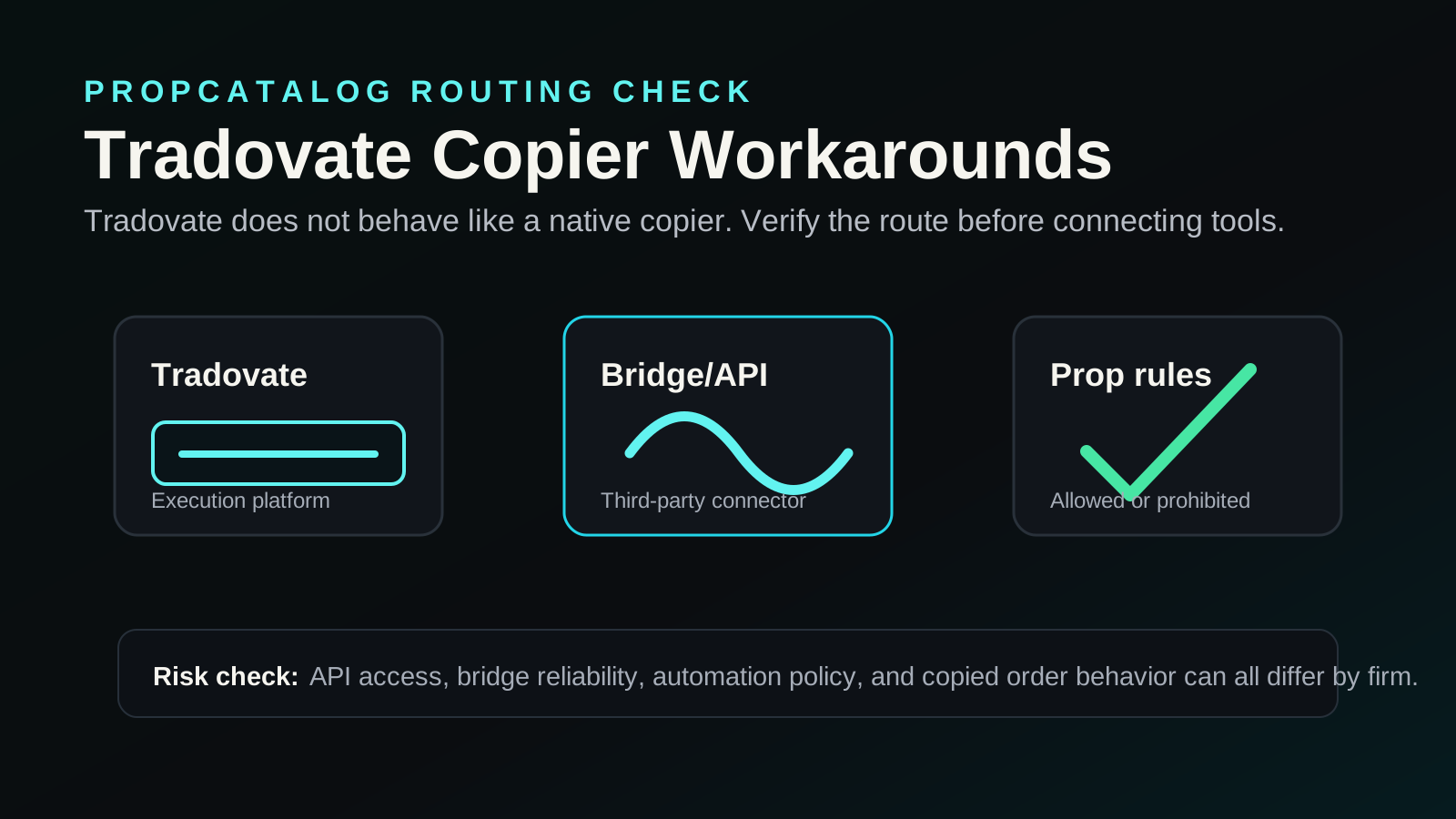
Tradovate is a cloud-based futures trading platform that offers commission-based and subscription-based pricing, a web and desktop interface, and API access. Its core feature set is built around order execution, charting, and account management for futures markets — primarily CME-listed products.
What Tradovate does not include natively:
- A built-in trade copier between accounts
- A signal receiver or master-slave account structure
- An integrated copy trading marketplace
- Automated strategy deployment without external tools
What Tradovate does offer that is relevant to automation:
- A REST API and WebSocket API for programmatic order placement
- NinjaTrader connectivity (Tradovate can be used as a brokerage through NinjaTrader)
- Rithmic and Tradovate’s own data feed options depending on account type
- Support for some third-party platforms that connect via API
The API access is the technical pathway that third-party trade copier tools use to interact with Tradovate accounts. However, using any third-party tool on a prop firm account requires explicit permission from the firm. Do not assume API access equals permitted automation — those are separate questions.
For a broader look at how platforms compare on automation and connectivity, visit the PropCatalog platforms hub.
Which Prop Firms May Support Tradovate as a Platform
A number of futures-focused prop firms list Tradovate as a supported or optional trading platform. However, platform availability changes, and firms regularly update their supported platform lists. The following reflects the general landscape as of the time of writing — verify directly with each firm before purchasing an evaluation.
| Firm Type | Tradovate Listed as Option | Trade Copier Permitted | Verification Step |
|---|---|---|---|
| Futures prop firms (general) | Often yes, alongside NinjaTrader and Rithmic platforms | Varies by firm — must confirm in rules | Check firm’s platform page and rules page |
| Forex prop firms | Rarely — Tradovate is futures-only | Not applicable | Confirm asset class coverage |
| Multi-asset prop firms | Unlikely for non-futures accounts | Varies by account type | Check platform list per account type |
Because Tradovate is a futures-specific platform, it is most relevant to traders evaluating with firms that offer futures contracts such as ES, NQ, CL, or GC. If your prop firm evaluation is forex or equity-based, Tradovate is unlikely to be an option at all.
To compare which prop firms support which platforms and what their rules say about automation, see the PropCatalog compare hub and the rules reference section.
Setup and Compatibility Notes for Trade Copying on Tradovate
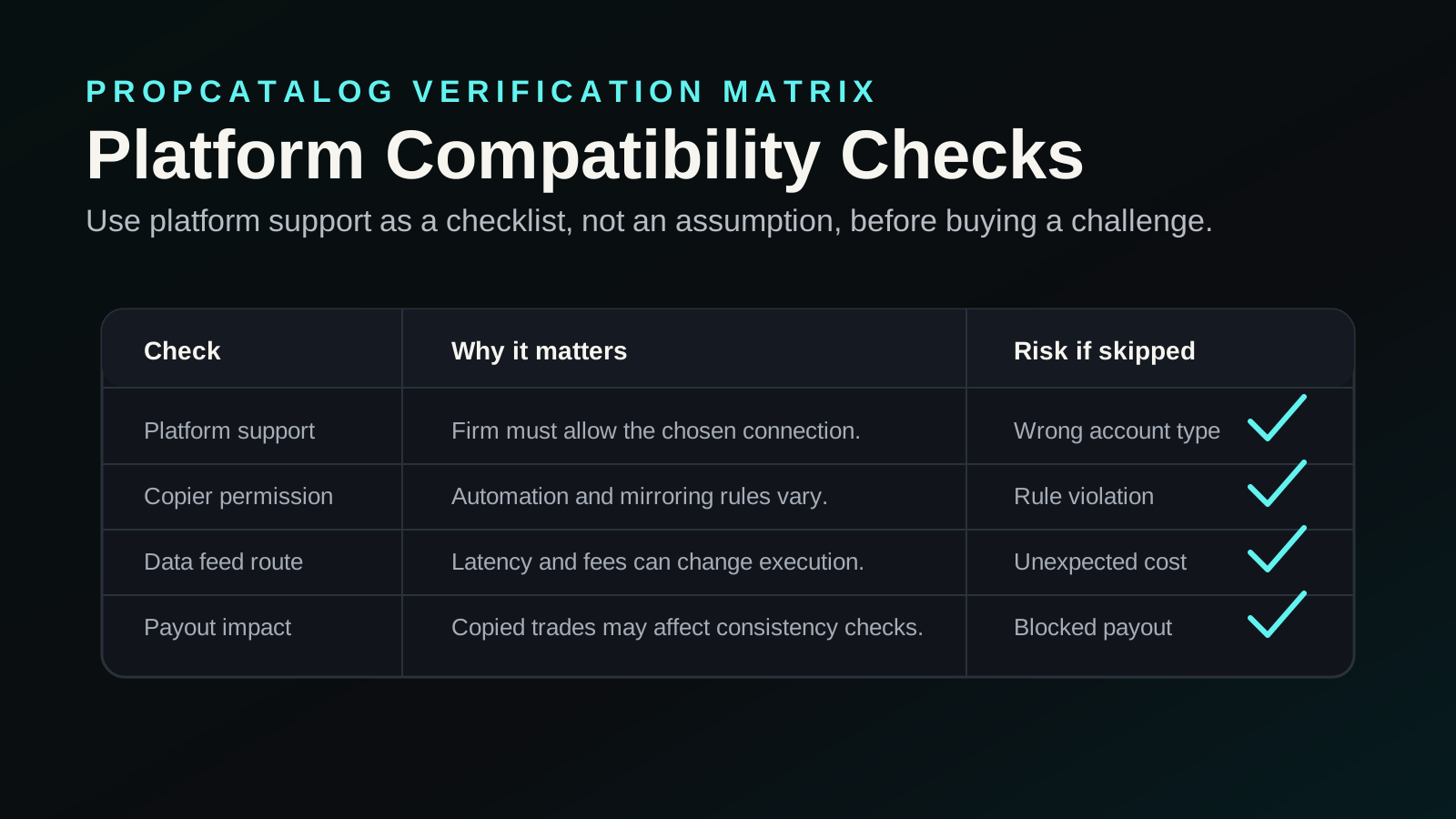
If you want to use a trade copier with Tradovate — and your prop firm explicitly permits it — the technical pathway typically involves one of the following approaches. None of these are officially built into Tradovate itself, and each carries setup risk.
Third-Party API Bridges
Some third-party services build bridges that connect a signal source (such as TradingView alerts, a master account on another platform, or a strategy runner) to Tradovate via its REST API. These tools authenticate with your Tradovate credentials and place orders programmatically when a signal fires.
Key compatibility questions to verify before using any API bridge:
- Does the bridge support Tradovate’s current API version?
- Does it handle Tradovate’s session token refresh correctly?
- Does it support the specific contract types you are trading?
- Is there latency between signal and execution that could affect your prop firm’s drawdown rules?
- Does the bridge provider have documented uptime and error handling?
NinjaTrader as an Intermediary
Because Tradovate supports NinjaTrader as a connected brokerage, some traders use NinjaTrader’s strategy or copy features to route orders through to a Tradovate-backed account. NinjaTrader has more mature automation infrastructure than Tradovate’s native interface. However, this setup adds a layer of complexity and potential failure points.
Verify with your prop firm whether NinjaTrader-routed automation is treated differently from direct API automation in their rules. Some firms distinguish between platform-native tools and third-party automation.
Manual Signal Following
If your prop firm does not permit automated copy trading but you want to follow signals, manual execution remains an option. This is not a trade copier in the technical sense, but it avoids rule violations. The tradeoff is execution speed and consistency.
Mistakes to Avoid Before Connecting a Trade Copier to Tradovate
This checklist covers the most common errors traders make when attempting to set up copy trading on Tradovate accounts, particularly in a prop firm context. Work through each point before connecting any tool.
- Not reading the firm’s automation policy first. Many prop firms prohibit copy trading, signal services, or third-party automation entirely. Check the rules page before any setup. See the PropCatalog rules hub for guidance on what to look for.
- Assuming API access means automation is permitted. Tradovate’s API is a technical feature. Whether you are allowed to use it on a prop firm account is a firm policy question, not a platform question.
- Using a shared signal source across multiple accounts without disclosure. Some firms prohibit copying trades between accounts, especially if one is a personal live account and another is an evaluation. This can be flagged as account manipulation.
- Not testing the bridge on a demo or personal account first. Connecting an untested third-party tool directly to an evaluation account risks unexpected order behavior, duplicate fills, or missed stops — all of which can breach drawdown limits.
- Ignoring session token expiry. Tradovate uses session-based authentication. If a third-party bridge does not handle token refresh correctly, it may silently stop placing orders mid-session without alerting you.
- Overlooking position sizing mismatches. If the signal source trades different contract sizes or account sizes than your prop firm account, the copier may place oversized or undersized positions relative to your risk parameters.
- Not accounting for latency in drawdown calculations. Prop firms often use real-time or end-of-day drawdown calculations. A delayed fill from a bridge tool could result in a worse price than the signal source, pushing you closer to a drawdown breach than expected.
- Failing to verify the bridge provider’s regulatory and data handling status. You are sharing Tradovate API credentials with a third party. Confirm what data they store, how credentials are handled, and whether they have any documented security practices.
- Not confirming which Tradovate account type is connected. Tradovate offers both live and simulated accounts. Confirm the bridge is connected to the correct account before any live evaluation session.
- Skipping a test trade before going live. Always place a small manual test order through the bridge on a non-evaluation account to confirm the connection is working as expected before relying on it during an evaluation.
Costs, Data Feeds, and Add-Ons to Verify
Using Tradovate in a prop firm context involves several cost layers beyond the evaluation fee itself. These are not always clearly communicated upfront, and they affect whether the platform setup is cost-effective for your situation.
Tradovate Subscription Tiers
Tradovate offers a commission-based plan and a subscription-based plan. The subscription plan charges a monthly fee in exchange for reduced or zero per-trade commissions. For high-frequency traders or those copying many signals, the subscription model may reduce costs. For lower-volume traders, the commission model may be cheaper. Verify current pricing directly on Tradovate’s pricing page, as rates change.
Exchange Data Fees
CME Group data fees apply to live market data on Tradovate. These are separate from Tradovate’s platform fees and are charged based on whether you are a professional or non-professional subscriber. Verify your classification and the current fee schedule before assuming your data costs.
Third-Party Bridge Costs
If you use a third-party API bridge for copy trading, that service will typically charge a separate subscription fee. These range widely. Factor this into your total cost of trading on the platform, especially during an evaluation period where you are already paying a challenge fee.
NinjaTrader Licensing
If you route through NinjaTrader, be aware that NinjaTrader has its own licensing tiers. Some features relevant to automation require a paid license. Verify what is included in the version you are using before building a setup that depends on a feature you have not confirmed is available in your license tier.
For a broader look at how platform costs interact with prop firm pricing, see the PropCatalog pricing hub.
Which Trader Type Is Best Suited to Tradovate
Tradovate is not the right platform for every prop firm trader. Understanding where it fits helps you decide whether to pursue a Tradovate-based setup or look at alternatives.
Tradovate Works Well For
- Futures traders who prefer a clean, cloud-based interface without installing desktop software
- Traders who want to access their account from multiple devices without syncing issues
- Traders comfortable with API-based automation who have confirmed their prop firm permits it
- Traders who already use NinjaTrader and want Tradovate as the brokerage layer
- Traders focused on CME-listed futures products
Tradovate Is a Poor Fit For
- Traders who need a built-in trade copier without third-party tools
- Forex or equity traders — Tradovate does not support those asset classes
- Traders whose prop firm does not list Tradovate as a supported platform
- Traders who want a fully integrated signal marketplace or social trading feature
- Traders who are not comfortable managing API credentials and third-party integrations
Alternatives to Compare If You Need Native Copy Trading
If copy trading or signal following is a core part of your strategy, and your prop firm supports it, there are platforms with more native or better-documented copy trading infrastructure. The right alternative depends on your asset class and firm compatibility.
| Platform | Asset Class | Copy Trading Support | Prop Firm Compatibility |
|---|---|---|---|
| MetaTrader 4 / MetaTrader 5 | Forex, CFDs, some futures | Native copy trading via Signals marketplace; EA-based copying | Widely supported by forex prop firms — verify per firm |
| cTrader | Forex, CFDs | cTrader Copy built in natively | Supported by select forex prop firms — verify per firm |
| NinjaTrader | Futures, forex | Strategy-based automation; third-party copier add-ons available | Supported by several futures prop firms — verify per firm |
| Rithmic-connected platforms | Futures | Depends on front-end platform; Rithmic is a data/routing layer | Common in futures prop firm infrastructure — verify per firm |
| TradeStation | Futures, equities, options | Strategy automation available; no native social copy trading | Supported by some prop firms — verify per firm |
None of the above platforms guarantee copy trading permission on prop firm accounts. The platform’s technical capability and the firm’s rule permitting it are two separate requirements that must both be satisfied. Always check the firm’s rules page and, if unclear, contact their support before building a setup around copy trading.
For side-by-side platform comparisons relevant to prop firm traders, visit the PropCatalog compare hub or browse firm reviews that include platform notes.

Sean Heffernan
Sean leads PropCatalog's data verification and trust research, with a focus on payout conditions, rule changes, and claims that traders should confirm before buying.
FAQs
Does Tradovate have a built-in trade copier?
No. Tradovate does not include a native trade copier or copy trading feature. Traders who want to copy trades into or out of a Tradovate account must use a third-party API bridge or an intermediary platform such as NinjaTrader. Whether that is permitted on a prop firm account depends entirely on the firm’s rules, not on Tradovate’s technical capabilities.
Can I use a third-party trade copier on a Tradovate prop firm account?
Only if your prop firm explicitly permits it. Many futures prop firms prohibit third-party automation, copy trading, or signal services on evaluation and funded accounts. Read the firm’s rules page carefully and contact their support team if the policy is unclear before connecting any external tool. Violating this rule typically results in account termination without a refund.
Does Tradovate have an API that supports automated trading?
Yes. Tradovate provides a REST API and WebSocket API that allow programmatic order placement and account management. This is the technical layer that third-party bridge tools use to connect signal sources to Tradovate accounts. However, API access does not mean automated trading is permitted on your specific prop firm account. Those are separate questions requiring separate verification.
Which prop firms allow trade copiers on Tradovate accounts?
This varies by firm and changes over time. No universal list can be provided here without risking outdated or inaccurate information. The correct approach is to check the rules page of each firm you are considering, look for language about automation, copy trading, signal services, or third-party software, and contact the firm directly if the policy is not explicit. The PropCatalog rules hub provides guidance on what to look for in firm rule sets.
Is NinjaTrader a better option than Tradovate for copy trading on prop firm accounts?
NinjaTrader has more mature automation infrastructure and a wider ecosystem of third-party add-ons, which can make copy trading setups more straightforward from a technical standpoint. However, whether NinjaTrader-based automation is permitted on a specific prop firm account is still a firm policy question. Some firms support NinjaTrader and permit certain automation; others do not. Verify with the firm before building any setup around either platform.
What happens if I use an unauthorized trade copier on a Tradovate prop firm account?
If a prop firm detects unauthorized automation or copy trading on an evaluation or funded account, the typical outcome is account termination. Some firms also flag the trader’s profile, which may affect future applications. Refunds are generally not issued for rule violations. The risk is not worth the setup if you have not confirmed explicit permission from the firm in writing or through their published rules.