Futures Prop Firms With MT5: Platform Compatibility Guide
Find out which futures prop firms may support MT5, what setup risks to check, and what alternatives exist before you buy a funded challenge account.
Most futures prop firms do not use MetaTrader 5 as their primary platform. MT5 has strong forex and CFD roots, and the majority of futures-specific prop firms have built their evaluation infrastructure around platforms like NinjaTrader, Rithmic, Tradovate, or Sierra Chart. That said, a small number of firms do offer MT5 access for futures-adjacent instruments, and some CFD-based firms present futures-style contracts through MT5. If you are searching for futures prop firms with MT5, the first thing to establish is whether the firm is offering genuine exchange-traded futures or CFD contracts that track futures prices — because the platform, data feed, margin rules, and payout structure differ significantly between the two.
What MT5 Actually Supports in a Futures Context
MetaTrader 5 was designed with multi-asset support in mind, and it does include a futures asset class in its specification. However, whether a prop firm’s MT5 deployment actually connects to exchange-traded futures — such as CME or CBOT contracts — depends entirely on the broker or liquidity provider behind the firm’s infrastructure. In most cases, what traders encounter on MT5 at a prop firm is one of the following:
- CFDs on futures indices: Instruments like US30, NAS100, or XAUUSD that track futures prices but are not exchange-traded contracts. These settle differently and carry no delivery obligation.
- Spread-bet or OTC derivatives: Common in UK-regulated environments, these mirror futures price action but are not listed on any exchange.
- Genuine futures via a bridged connection: Rare on MT5, but some firms use a bridge to connect MT5’s front end to a futures clearing infrastructure. This setup introduces additional latency and compatibility risks.
Before assuming you are trading real futures on MT5, check the instrument specification in the platform’s contract details window. Look for the exchange field, the tick size, and whether the contract has an expiry date that matches a real CME or ICE calendar. If those fields are absent or generic, you are likely trading a CFD.
For a broader look at how prop firms structure their platform offerings, visit the PropCatalog platforms hub.
Which Prop Firms May Support MT5 for Futures or Futures-Style Trading
Because platform support changes frequently and firms update their technology stacks without always announcing it publicly, this section is structured as a verification framework rather than a definitive list. The categories below reflect the types of firms where MT5 and futures-style instruments are most likely to intersect.
CFD-Based Prop Firms Using MT5
A significant number of prop firms — particularly those regulated or operating in Europe, the Middle East, or offshore jurisdictions — run their entire challenge infrastructure on MT5 and offer instruments that track futures markets. These firms typically offer indices, commodities, and energy contracts as CFDs. The trading experience can closely resemble futures trading in terms of price behavior, but the legal and structural differences matter for things like tax treatment, position sizing, and what happens at contract rollover.
If you are evaluating a firm in this category, confirm the following directly with the firm or through their help center:
- Whether the instruments listed are CFDs or exchange-traded futures
- How rollovers are handled and whether positions are closed automatically
- Whether the MT5 server is a demo environment or a live liquidity environment during the evaluation phase
- Which MT5 build version is required and whether the firm’s server is compatible with the current MT5 desktop or mobile release
Hybrid Firms Offering Both MT5 and a Futures Platform
Some firms offer traders a choice of platform at the point of account setup. A trader might select MT5 for forex and CFD instruments while a separate account on NinjaTrader or Tradovate handles actual futures. In this structure, the funded account rules — including drawdown limits, daily loss caps, and profit targets — may differ between the two platform tracks. Verify whether the rules page you read applies to the MT5 track or the futures track, because conflating the two is a common source of rule violations. Check the PropCatalog rules hub for guidance on how to read and compare firm rule structures.
Firms That Previously Offered MT5 Futures Access
Platform support is not permanent. Several firms have added and then removed MT5 as an option following changes to their liquidity provider relationships or regulatory requirements. If a review or forum post from more than six months ago mentions MT5 futures support at a specific firm, verify current availability directly on the firm’s platform page or by contacting their support team before purchasing a challenge.
Setup and Compatibility Notes Before You Connect

Assuming you have confirmed that a firm supports MT5 for the instruments you want to trade, the following setup considerations apply before you place a single trade.
Server Selection
MT5 requires you to select the correct server during login. Prop firms typically run a dedicated server separate from the broker’s retail servers. Using the wrong server — for example, a broker’s live server instead of the firm’s evaluation server — means your trades are not being recorded against your challenge account. Always use the server name provided in your account confirmation email, not the default server that appears when you search for the firm’s name in the MT5 server list.
Build Version Compatibility
MetaTrader 5 updates its build regularly. Some prop firm servers run on older builds and may not be fully compatible with the latest MT5 desktop client. If you experience login failures, missing instruments, or chart data gaps, check whether the firm specifies a required build version. You can find your current build number under Help > About in the MT5 desktop application.
Data Feed and Tick Data
For futures-style instruments on MT5, the quality of the data feed affects backtesting, strategy testing, and live execution. Ask the firm whether their MT5 deployment uses a real-time data feed from a recognized provider or a synthetic feed. Synthetic feeds can produce price discrepancies compared to the actual futures market, which matters if your strategy is calibrated against CME or ICE data.
EA and Algorithmic Trading Restrictions
MT5 supports Expert Advisors (EAs), but many prop firms restrict or prohibit certain types of automated strategies. Common restrictions include latency arbitrage EAs, tick scalpers, and EAs that exploit price feed delays. Before deploying any EA on a prop firm’s MT5 account, read the firm’s rules page carefully. Some firms require EA approval before use. Violations in this area are among the most common reasons for account termination.
VPS and Connectivity
If you plan to run MT5 on a VPS for continuous EA operation, confirm that the firm’s server allows VPS connections and that the VPS provider’s IP range is not blocked. Some firms flag unusual login patterns — including VPS logins from data center IP addresses — as potential rule violations depending on their terms.
Setup Mistake Checklist: What to Verify Before Your First Trade
Use this checklist before placing any trade on a prop firm’s MT5 account. Each item represents a mistake that has caused traders to fail challenges or lose funded accounts.
- Wrong server selected at login: Confirm the exact server name from your account email, not from the MT5 search function.
- Demo vs. live environment confusion: Some firms run evaluations on demo servers. Confirm whether your account is on a demo or live server and what that means for execution quality.
- Instrument name mismatch: The instrument name on the firm’s MT5 server may differ from what you expect. For example, crude oil may appear as USOIL, WTI, or CL.f depending on the firm’s naming convention. Trading the wrong instrument can cause unintended exposure.
- Incorrect lot size for the instrument type: CFD lot sizes for futures-tracking instruments differ from standard futures contract sizes. A 1.0 lot on a CFD crude oil instrument is not the same as one CL futures contract. Verify the contract specification before sizing positions.
- EA not approved or restricted strategy type: Check the firm’s rules before enabling any EA or automated script.
- Rollover dates not accounted for: If the instrument has an expiry, confirm how the firm handles rollover. Some firms close positions automatically; others require manual action.
- Drawdown calculation method not confirmed: Verify whether the firm uses a trailing drawdown, static drawdown, or end-of-day balance drawdown — and confirm this applies to the MT5 account track specifically.
- News trading restrictions during high-impact events: Many firms restrict trading around major economic releases. Confirm whether this applies to the futures-style instruments on MT5 and how the firm defines the restricted window.
- Profit split and payout rules for the MT5 track: If the firm offers multiple platform tracks, confirm that the payout percentage and payout schedule you read about applies to the MT5 account, not a different platform track.
- Time zone of the trading session: MT5 server time may differ from your local time. Confirm the server time zone and how it affects daily drawdown resets and session-based rules.
Costs, Data Feeds, and Add-Ons to Verify
The cost structure for trading futures-style instruments on MT5 at a prop firm differs from what you would encounter at a retail broker or a dedicated futures prop firm. The following cost elements are worth verifying before committing to a challenge.
Challenge Fee
Challenge fees vary by firm and account size. Some firms offer resets or free retries under specific conditions. Verify the current fee on the firm’s pricing page rather than relying on third-party listings, which may be outdated. The PropCatalog pricing hub provides a framework for comparing challenge fee structures across firm types.
Spread and Commission on Futures-Style Instruments
MT5 prop firm accounts for futures-style CFDs typically charge through spread, commission, or a combination of both. Spreads on index CFDs during off-hours can widen significantly. If your strategy depends on tight spreads — for example, scalping NQ-equivalent instruments — test the spread behavior during your intended trading hours before committing to a challenge. Ask the firm whether spreads are fixed or variable and whether they widen during news events.
Swap and Overnight Fees
Unlike exchange-traded futures, CFDs on MT5 typically carry overnight swap charges. If you hold positions overnight, these fees accumulate and can affect your net profit calculation relative to the challenge’s profit target. Confirm the swap rate for each instrument you plan to trade. Some firms offer swap-free accounts, but these may carry different conditions or be restricted to certain account types.
Data Feed Subscription
On MT5, the data feed is typically bundled with the firm’s server connection and does not require a separate subscription. However, if you want to run backtests using high-quality historical tick data for futures-tracking instruments, you may need to source that data independently. Confirm whether the firm’s MT5 server provides sufficient historical data depth for your strategy testing needs.
Add-On Tools and Indicators
MT5 supports custom indicators and scripts from the MQL5 marketplace. Some prop firms restrict the use of third-party tools that interact with the server in ways that could be interpreted as latency arbitrage or data scraping. If you use a specific indicator suite or trade management tool, confirm with the firm that it is permitted before installing it on the challenge account.
Which Trader Type Fits This Platform Setup
MT5 at a futures-oriented prop firm is not the right fit for every trader. The following profiles reflect situations where this setup may or may not align with a trader’s needs.
Traders Who May Find MT5 Suitable
- Traders already familiar with MT5 from forex or CFD trading who want to apply similar strategies to index or commodity instruments without learning a new platform
- Traders running MT5-native EAs who want to test those systems on futures-correlated instruments without migrating to NinjaTrader or a different ecosystem
- Traders in regions where access to US futures exchanges is restricted and CFD-based futures exposure through MT5 is the practical alternative
Traders Who May Need a Different Setup
- Traders who require genuine exchange-traded futures with CME or ICE clearing — MT5 is unlikely to provide this through most prop firm setups
- Traders whose strategies depend on DOM (Depth of Market) data, order flow tools, or footprint charts — MT5’s DOM functionality is limited compared to NinjaTrader or Sierra Chart
- Traders who use platform-specific tools like NinjaTrader’s ATM strategies or Tradovate’s bracket orders — these do not translate to MT5
- Traders who need precise tick-by-tick data for scalping strategies calibrated against actual futures market microstructure
Alternatives to Compare Before Committing
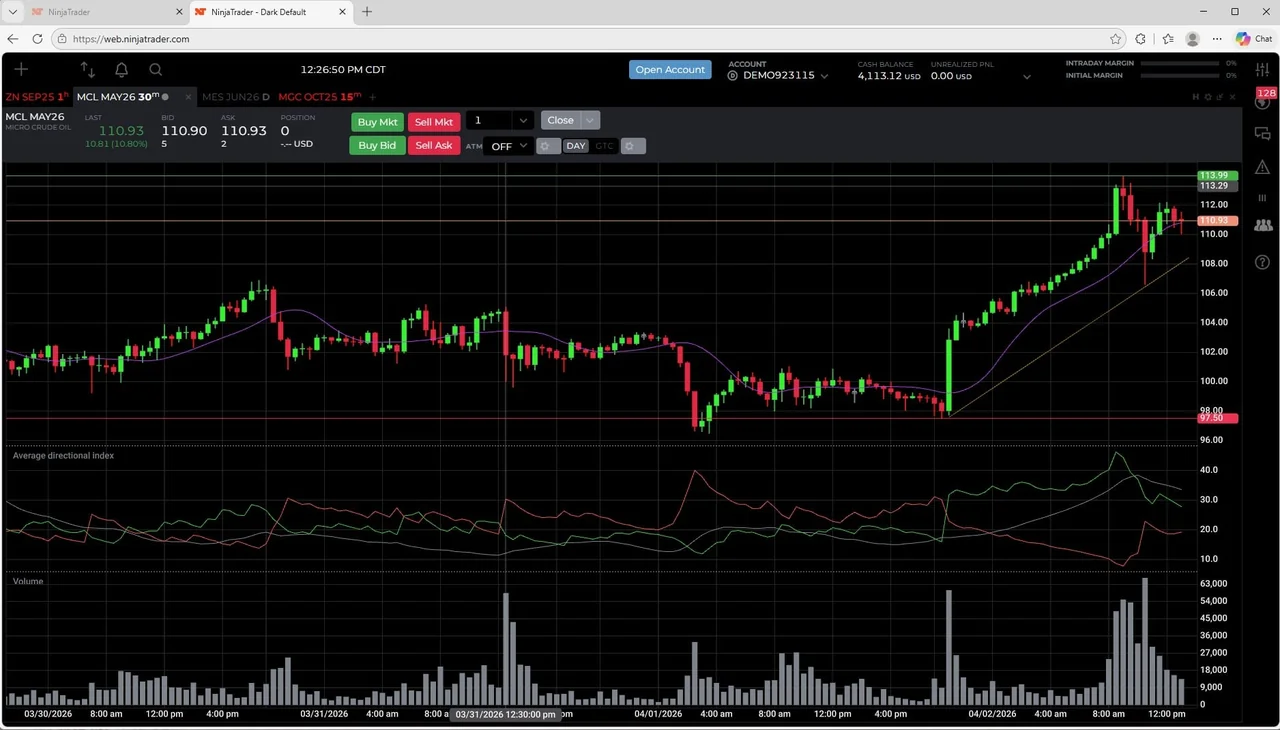
If MT5 does not meet your requirements for futures trading at a prop firm, the following platform alternatives are worth evaluating. Each has a different compatibility profile with prop firm infrastructure.
| Platform | Common Use Case at Prop Firms | Key Consideration |
|---|---|---|
| NinjaTrader | US futures prop firms using Rithmic or Continuum data | Requires separate data feed subscription in some setups; confirm whether the firm covers this cost |
| Tradovate | Cloud-based futures trading; used by several US-focused prop firms | Browser and desktop access; confirm whether the firm’s evaluation rules apply to Tradovate-specific order types |
| Sierra Chart | Advanced futures traders; used by some prop firms as an alternative front end | Steeper learning curve; confirm data feed compatibility with the firm’s infrastructure |
| Rithmic R Trader | Direct Rithmic-connected prop firms | Basic interface; often used as a backup or verification tool rather than a primary trading platform |
| cTrader | Some CFD-based prop firms as an MT5 alternative | Better depth of market display than MT5; confirm whether the firm’s challenge rules are identical across MT5 and cTrader tracks |
For a side-by-side comparison of prop firms by platform type, visit the PropCatalog compare hub. For firm-specific platform details, check individual entries in the PropCatalog reviews section.
FAQs
Can you trade actual CME futures through MT5 at a prop firm?
In most cases, no. The majority of prop firms using MT5 offer CFD instruments that track futures prices rather than exchange-traded futures contracts. A small number of firms use bridge technology to connect MT5 to futures clearing infrastructure, but this is uncommon and introduces additional technical risk. Always check the instrument specification in the platform to confirm whether you are trading a CFD or a genuine futures contract.
Do futures prop firms that use MT5 charge data feed fees separately?
Typically, MT5 prop firm accounts bundle the data feed with the server connection, so you do not pay a separate data fee as you would with a NinjaTrader or Rithmic setup. However, if you want high-quality historical tick data for backtesting, you may need to source that independently. Confirm the data arrangement with the firm before purchasing a challenge.
Are EA strategies allowed on MT5 futures-style accounts at prop firms?
It depends on the firm. Many prop firms permit EAs on MT5 but restrict specific strategy types such as latency arbitrage, tick scalping, or high-frequency approaches that exploit data feed delays. Some firms require EA approval before use. Read the firm’s rules page carefully and contact support if you are unsure whether your specific EA is permitted.
How do I know if a prop firm’s MT5 account uses a demo or live server?
Check your account confirmation email for the server name. Demo servers typically include the word “demo” in the server label, while live servers use terms like “live,” “real,” or a numbered server designation. You can also check the server type in MT5 under the Navigator panel — the account type field will indicate demo or real. If you are unsure, ask the firm’s support team directly before placing any trades.
What happens to open positions during a futures contract rollover on MT5?
This depends on how the firm has configured the instrument. For CFD instruments that track futures prices, the firm’s liquidity provider typically handles the rollover by adjusting the price or closing and reopening the position. Some firms close positions automatically at rollover; others carry them forward with a price adjustment. Confirm the firm’s rollover policy for each instrument you plan to hold through an expiry date.
Is MT5 a good platform for futures prop trading compared to NinjaTrader?
For traders who want genuine exchange-traded futures with full order flow data, DOM tools, and direct exchange connectivity, NinjaTrader or Tradovate is generally better suited. MT5 is more practical for traders who are already in the MT5 ecosystem and want to trade futures-correlated CFD instruments without switching platforms. The right choice depends on your strategy type, the instruments you need, and which platforms the specific firm supports. Verify platform availability and rule differences before committing to a challenge.